
How do set up your Car Buddy GPS Tracker
IN AUSTRALIA OVER 1000 VEHICLES
ARE STOLEN EVERY WEEK
What if it was your vehicle? What if you’d left your laptop in your car? Or your tools for work? Or your car is a classic that cannot be replaced? What if you’d parked it at the train station at 6AM, it’s now 7PM AND IT’S GONE?
Don’t let this happen to you! Don’t become a statistic and be left with the real challenge of not having your vehicle; the inconvenience of NO CAR, losing your possessions, paying an excess, filling in all that paperwork for your insurance claim AND now paying a higher premium.
BE PROACTIVE AND PROTECT YOURSELF FROM THESE ALL TOO FAMILIAR PROBLEMS!
My Buddy Gard GPS tracking products and services will provide you with greater freedom, security and peace of mind!

Set up you device only when it has been turned on!
Please see the video first about setting up the sim card and device!
Make sure that the ON/OFF toggle switch is turned on inside the device before pairing the device with the platform.
1. Click on the Register New Device button

2. Click on the Vehicle Tracker button
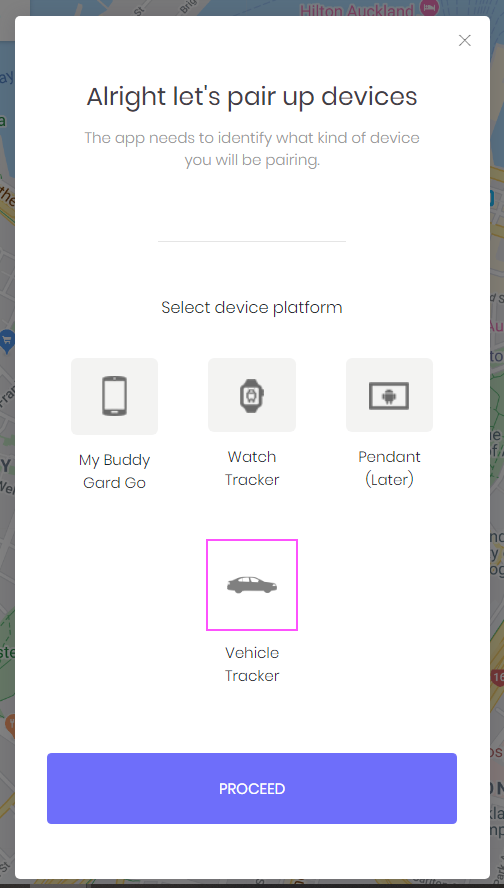
3. Click on Proceed button

4. Enter your device details
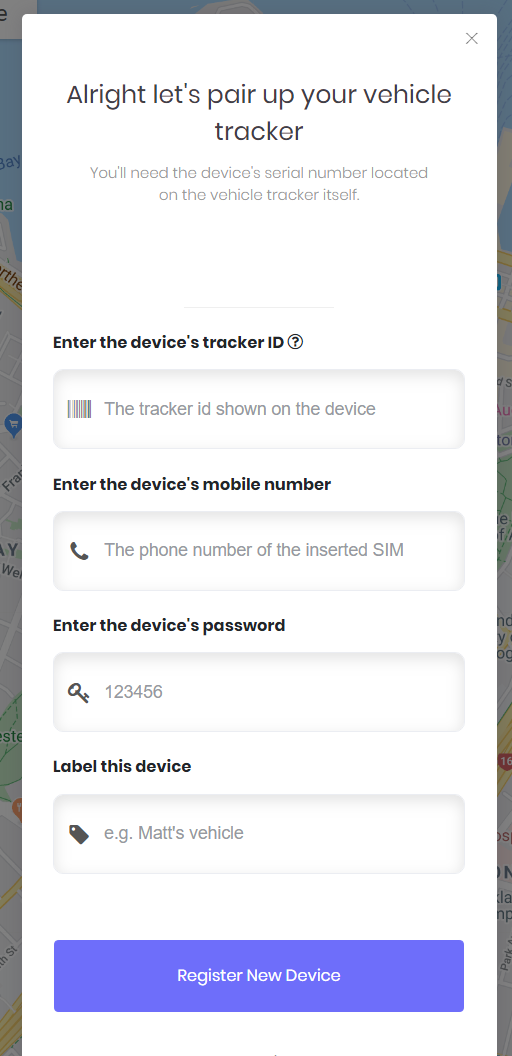

Enter device IMEI / SERIAL code printed on the device
Enter the Sim Card Phone number (E.G. 61412345678)
Enter device password: 123456
Don't change this password!
Name your device
Click on
Register New Device
5. Cofirmation Message
